
Home / iOS themes / Bohemic
Bohemic
Updated Oct 21, 2026
- Bohemic
- Bohemic iOS 27.2
- Bohemic download
- iOS
- iOS 27.2
- Updated
- Oct 21, 2026
- Collection
- iOS themes
What Is Bohemic iOS Theme?
Bohemic is an iPhone and iPad icon theme created by timeloop. It gives supported app icons a fresh appearance using colorful gradients and carefully designed shapes.
The theme includes 408 custom icons for popular iOS applications. It also provides alternative icons, custom Settings icons and an optional icon mask with smoother, more rounded corners.
Bohemic works with supported theming engines such as SnowBoard, Anemone and iThemer.
After installing the theme, users can apply Bohemic to their Home Screen and customize the appearance of supported applications.
Bohemic also includes notification badge designs and other visual details to match the theme.
The theme supports rootless jailbreak environments, although successful installation depends on your iOS version and available theming tool.
Bohemic is a visual customization package. It does not jailbreak your iPhone, install IPA apps or unlock restricted system features.
Opens in the members area. The account is free.
408 Custom App Icons
Bohemic includes 408 redesigned app icons with colorful gradients and clean details. It also provides alternative icons for supported apps, giving users more choices for their Home Screen.
Smooth Rounded Icon Designs
Bohemic includes an optional icon mask that changes the appearance of icon corners. Combine its rounded shapes with custom gradients for a different iPhone Home Screen style.
Settings Icons and Notification Badges
Bohemic includes custom Settings icons and notification badge designs. These extra details help create a consistent look across supported parts of iOS.
How to Download and Install Bohemic Theme on iPhone
Bohemic can be installed on supported jailbroken iPhone and iPad devices using a compatible theme manager such as SnowBoard, Anemone or iThemer.
Installation steps:
- Make sure your iPhone or iPad has a compatible jailbreak.
- Open Sileo or another supported package manager.
- Add the Havoc repository if required.
- Search for Bohemic in the package manager.
- Open the Bohemic theme page.
- Purchase the theme through the authorized store if needed.
- Download and install the Bohemic package.
- Open SnowBoard or another compatible theming app.
- Find Bohemic in the installed themes list.
- Enable Bohemic and apply the theme.
- Return to your Home Screen to see the new icons.
How to change Bohemic icons
Bohemic includes alternative icons for supported apps. Depending on your theme manager, you can select an available alternative design for individual applications.
Can I install Bohemic without jailbreaking?
The standard Bohemic package is designed for jailbreak theming tools. Some users extract legitimately obtained icon images and apply them using other customization methods, but this is not the standard installation process.
Important: Check the compatibility of SnowBoard, your jailbreak and your iOS version before installing Bohemic.
Bohemic Theme Features and iOS Compatibility
Bohemic is designed for users who want to replace standard iPhone app icons with colorful, modern designs.
408 Custom App Icons
Bohemic includes 408 custom app icons featuring gradients, smooth shapes and carefully designed details.
Alternative Icon Designs
Some supported apps include alternative icons. Users can choose different designs to match their preferred Home Screen appearance.
Custom Settings Icons
Bohemic includes themed Settings icons to create a more consistent appearance.
Notification Badge Customization
The theme includes a customized notification badge design for supported setups.
Optional Icon Mask
Bohemic provides an optional icon mask with smoother, rounded corners.
SnowBoard, Anemone and iThemer Support
Bohemic is designed to work with compatible jailbreak theming engines. The developer also lists support for rootless jailbreak environments.
Supported iOS Versions
The Havoc listing describes Bohemic as compatible with all iOS versions. However, this does not guarantee that the theme works with every modern iOS release.
The actual compatibility depends on your device, jailbreak and theming engine.
Bohemic vs Bohemic NOIR
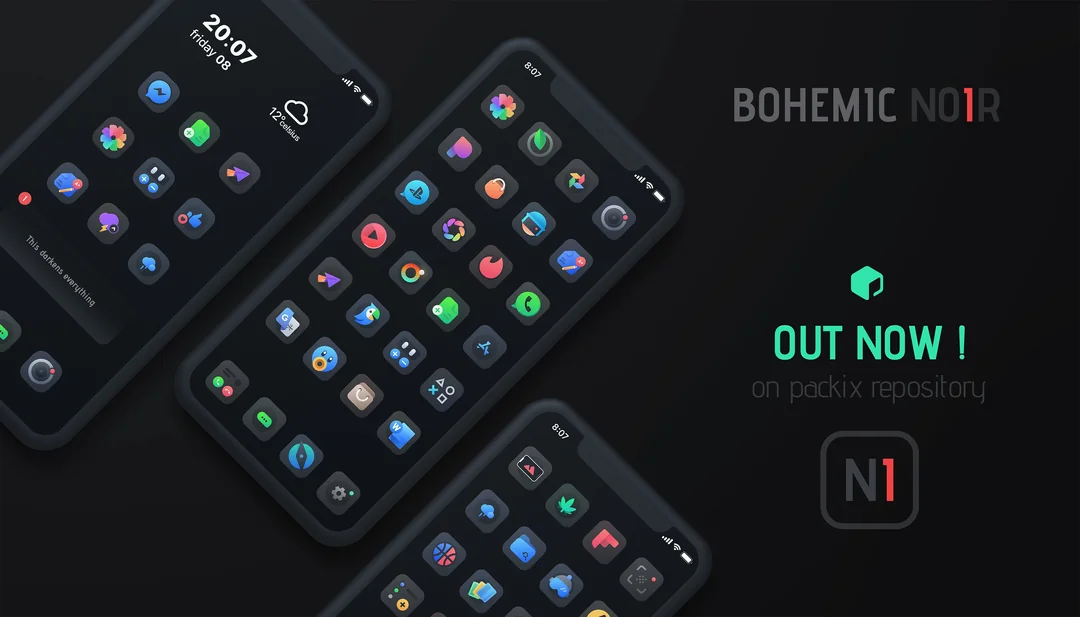
Bohemic uses colorful gradient designs, while Bohemic NOIR offers a darker appearance. Both themes come from the same developer and offer similar customization options.
Bohemic Theme Troubleshooting and Common Problems
If Bohemic is not installing or your app icons are not changing, try these simple fixes.
Bohemic Theme Is Not Installing
Check your internet connection and package manager. Make sure you have access to the purchased package and a compatible jailbreak.
Bohemic Is Not Showing in SnowBoard
Open your package manager and confirm that Bohemic is installed. Then reopen SnowBoard and check the available themes.
App Icons Are Not Changing
Make sure Bohemic is enabled in your theme manager. Apply the theme and respring your device if required.
Some Icons Are Missing
Bohemic includes 408 icons, but it may not cover every application. Apps without matching themed icons may keep their original appearance.
Alternative Icons Are Not Showing
Check whether the app has an alternative icon included in the theme. Not every supported application has multiple designs.
Custom Settings Icons Are Not Working
The Settings icon feature depends on your theming engine and iOS version. Check whether the required customization option is enabled.
Bohemic Is Not Working After an iOS Update
Your jailbreak or theming engine may no longer be compatible. Check the supported versions before reinstalling the theme.
Notification Badges Are Not Changing
Check the notification badge options in your theme manager. Some iOS versions may require additional compatible theming components.
How to Remove Bohemic Theme
Open SnowBoard or your selected theme manager and disable Bohemic. To remove the package completely, uninstall it through Sileo or your package manager.
Safety Tips
Install themes from trusted repositories. Avoid unknown configuration profiles or modified packages and make sure your jailbreak and theme manager are compatible.
FAQ
What is Bohemic iOS Theme?
Bohemic is an iPhone and iPad icon theme developed by timeloop. It includes colorful gradient icons, custom Settings icons, alternative designs and notification badge customization.
What is the latest Bohemic Theme version?
Bohemic v1.1.4 is the latest version listed on Havoc. It was released on February 20, 2022.
How do I download Bohemic Theme?
Visit the Bohemic page on Havoc, purchase the theme if needed and install it using a supported jailbreak package manager such as Sileo.
How many app icons does Bohemic include?
Bohemic includes 408 custom app icons. Some supported applications also have alternative icon designs.
Does Bohemic support SnowBoard?
Yes. Bohemic is compatible with SnowBoard, which allows users to apply custom app icons on supported jailbroken iPhones.
Does Bohemic work with Anemone?
Yes. The theme description lists support for Anemone as well as SnowBoard and iThemer.
Can I install Bohemic without jailbreaking?
The standard Bohemic theme package is intended for jailbreak-based theming engines. Other methods may allow users to apply legally obtained icon images without a jailbreak, depending on the files available.
Does Bohemic support rootless jailbreaks?
Yes. The Havoc package listing states that Bohemic supports rootless jailbreak environments. Compatibility still depends on the installed theming engine.
Does Bohemic support iOS 15?
The developer lists broad iOS compatibility. Bohemic may work on iOS 15 with a supported jailbreak and theme manager.
Does Bohemic support iOS 16?
Bohemic may work on supported iOS 16 jailbreak environments. Check your theming engine before installation.
Does Bohemic support iOS 17?
The theme's listing advertises broad compatibility, but successful installation on iOS 17 depends on having a supported jailbreak and theming method.
Does Bohemic support iOS 27?
Bohemic has not been independently verified on iOS 27. Its older theme listing should not be treated as proof of compatibility with every newer iOS release.
Can I use Bohemic on iPad?
Yes. The developer describes Bohemic as compatible with iPad. The icon layout and theme manager support may vary by device.
Does Bohemic change Settings icons?
Yes. Bohemic includes custom Settings icons for supported setups.
Can I change individual icons with Bohemic?
Yes. Bohemic offers alternative icons for selected apps. The available options depend on your theme manager.
Does Bohemic include wallpapers?
The verified Bohemic package description mainly lists icon and interface customization. A bundled wallpaper collection was not confirmed.
What is Bohemic NOIR?
Bohemic NOIR is a darker theme variation from the same developer. It uses dark gradients while offering a similar icon customization style.
Why is Bohemic not showing in SnowBoard?
Make sure Bohemic is installed correctly and enabled in SnowBoard. If it still does not appear, check your jailbreak and theme manager compatibility.
Why are some Bohemic app icons missing?
The theme does not necessarily include every app. Applications without a matching themed icon may continue showing their original icons.
How do I remove Bohemic Theme?
Disable Bohemic in your theme manager to restore the normal appearance. You can also uninstall the package through Sileo or another supported package manager.