
Home / Wallet customizations / American Express
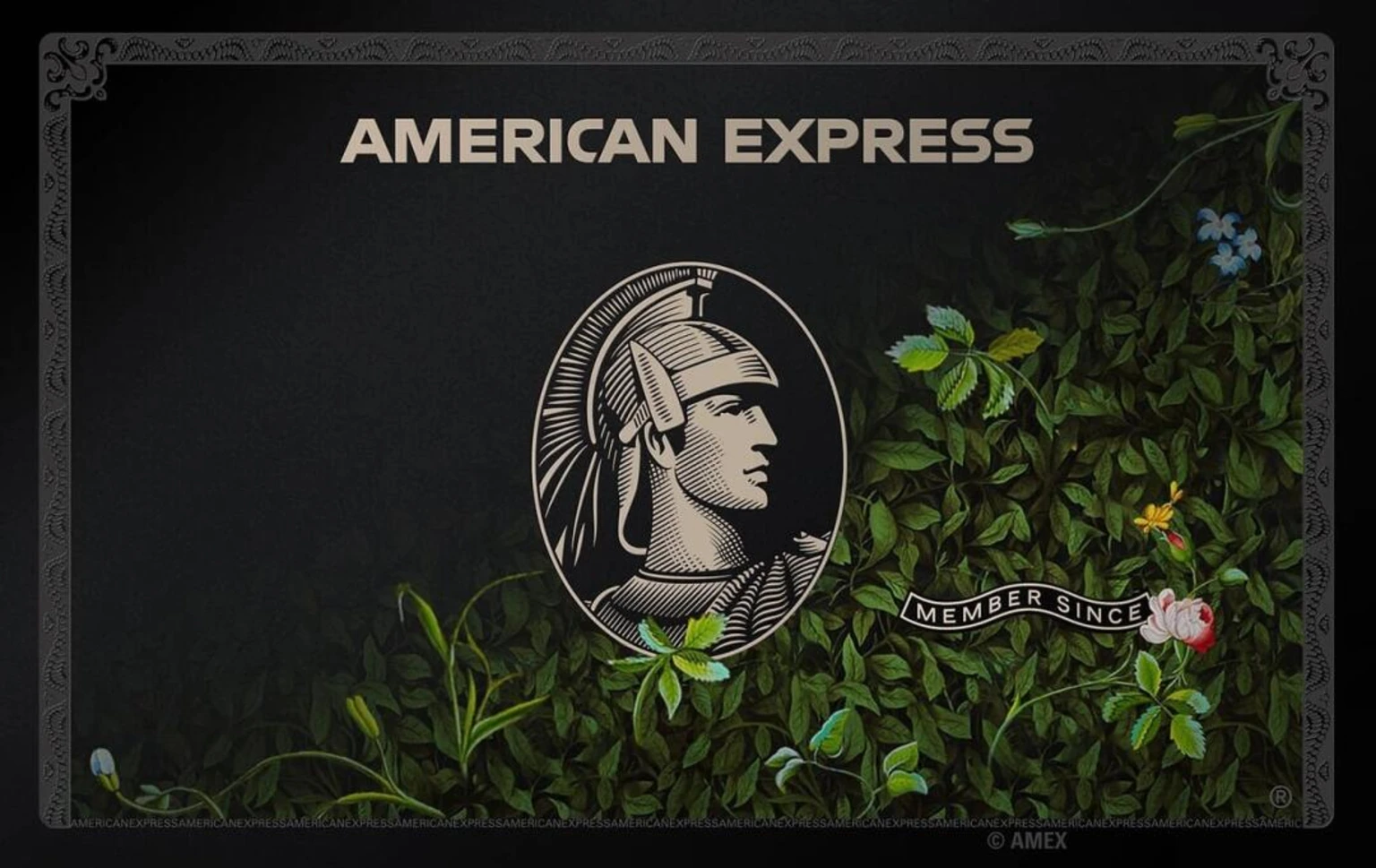
American Express
Updated Oct 21, 2026
- American Express
- American Express iOS 27
- American Express download
- iOS
- iOS 27
- Updated
- Oct 21, 2026
- Collection
- Wallet customizations
What Is American Express Apple Wallet Artwork?
American Express Apple Wallet artwork lets iPhone users change the appearance of a supported card inside Apple's Wallet app.
The available designs include American Express Centurion Black, Gold, Platinum and other card styles.
You can download a preferred image and apply it using AirCard, a customization tool for Apple Wallet.
AirCard allows users to change the displayed artwork of compatible payment cards without jailbreaking their iPhones.
You can choose a black Centurion design, a gold-colored card or a Platinum-inspired appearance.
After applying the artwork, open Apple Wallet to check the updated design.
The customization does not create a new American Express account or provide credit card benefits.
Your original card issuer, payment details, balance and spending limits remain unchanged.
American Express card artwork is an image file, not a standalone IPA application.
Compatibility depends on your iPhone model, installed iOS version, Wallet card type and AirCard release.
Opens in the members area. The account is free.
Black, Gold and Platinum Designs
Choose from different American Express card styles, including the dark Centurion design, Gold Rewards artwork and Platinum card variations.
Customize Existing Wallet Cards
Give a supported Apple Wallet card a different appearance without changing the real payment account or replacing your physical card.
No-Jailbreak Card Customization
Apply compatible card artwork using AirCard on a Mac or a supported AirCard-iOS setup. No jailbreak is required for these methods.
How to Download and Add American Express Artwork to Apple Wallet
You can apply American Express card artwork to a compatible Apple Wallet card using AirCard.
For the Mac installation method, you need an iPhone, a Mac, a USB cable and your preferred American Express artwork.
Installation steps:
- Open the American Express artwork collection.
- Choose your preferred Black, Gold or Platinum design.
- Download the artwork image.
- Save the image to your Mac.
- Visit the AirCard GitHub releases page.
- Download and install AirCard for macOS.
- Connect your iPhone to your Mac using a USB cable.
- Unlock your iPhone and select Trust This Computer if requested.
- Open AirCard and select the Wallet Cards section.
- Click Scan Cards.
- On your iPhone, open Apple Pay by double-clicking the side button.
- Authenticate and select the card you want to customize.
- Wait until AirCard detects the selected card.
- Import the American Express artwork.
- Check the card preview and click Flash Skins.
- Close and reopen Apple Wallet to view the updated card.
Can I install American Express artwork without a computer?
Some compatible iPhones can use AirCard-iOS directly.
This method requires LocalDevVPN and a supported pairing setup. The exact requirements depend on your iOS version.
Important: American Express artwork changes only the card's appearance. It does not provide a real Amex card, membership benefits or payment privileges.
Only modify cards you own or are authorized to customize.
American Express Card Designs and Supported iOS Versions
American Express artwork offers different card appearances for iPhone users who want to personalize Apple Wallet.
American Express Centurion Black Card
The Centurion design features a dark card appearance. AirCards provides several Centurion styles, including Classic, Abstract and other variations.
American Express Gold Card
Gold-themed designs include American Express Gold Rewards and other regional card artwork.
American Express Platinum Card
Platinum artwork offers silver-colored and illustrated designs, including the Platinum Floral variation.
Custom Apple Wallet Artwork
AirCard allows you to apply a downloaded card image to a supported existing Wallet card.
Recommended Image Size
For custom artwork, use a PNG image with a recommended output resolution of 1536 × 969 pixels.
No Jailbreak Required
AirCard offers Mac and compatible on-device customization methods that do not require jailbreaking.
Supported iOS Versions
The AirCard-iOS developers list the following compatibility:
- iOS 18.0–26.x: Supported through an imported pairing file.
- iOS 27.0–27.0.1: Supported through compatible pairing methods.
- iOS 27.2 beta 1–2: Developer-reported working versions.
- iOS 27.2 beta 3 and later: The underlying AirCard customization method is reported patched.
The Mac version has its own setup requirements. Exact results depend on the iPhone, software release and Wallet card.
Supported Wallet Cards
AirCard can modify artwork for certain credit cards, debit cards, transit cards and passes.
Not every card is compatible. Apple's own Apple Card uses dynamic rendering and may not display a custom static image.
Important Limitation
An American Express design does not change a Visa or Mastercard into an actual American Express card. It does not provide rewards, lounge access, membership status or other financial benefits.
American Express Apple Wallet Troubleshooting and Common Problems
If American Express card artwork is not downloading or appearing in Apple Wallet, try these simple checks.
American Express Artwork Is Not Downloading
Open the selected artwork page and choose Download Artwork. Confirm that the image has been saved correctly.
AirCard Is Not Detecting Your iPhone
Check your USB cable, unlock your iPhone and trust the connected Mac.
Wallet Card Is Not Showing in AirCard
Select Scan Cards. Open Apple Pay, authenticate and select your card to help AirCard detect it.
American Express Artwork Is Not Applying
Make sure you imported the correct image and selected the intended Wallet card before clicking Flash Skins.
New Card Design Is Not Showing
Close Apple Wallet completely and reopen it. If necessary, follow the developer's refresh instructions.
Card Image Looks Cropped
Use artwork with the recommended 1536 × 969 resolution or a matching aspect ratio. Check the image preview before applying it.
Some Wallet Cards Are Not Supported
Not every payment card uses the same artwork system. Confirm compatibility before attempting another modification.
AirCard-iOS Is Not Connecting
Check LocalDevVPN and the device pairing setup. Make sure your iOS version is supported.
AirCard Stops Working After an iOS Update
Apple may change the system functions used by AirCard. Review the developer's compatibility information before updating or trying again.
Apple Card Design Is Not Changing
Apple Card uses dynamic artwork rendering. AirCard's developer confirms that this can prevent custom designs from appearing.
How to Restore the Original Card Artwork
Follow the restoration or backup instructions available for your AirCard version. Restoration may not be possible on every device.
Safety Tips
Use trusted software and artwork sources. Never share bank passwords or Apple Account credentials with unknown websites. Understand that Wallet customization tools can affect system reliability and may stop working after updates.
FAQ
What is American Express Apple Wallet artwork?
American Express Apple Wallet artwork is a collection of custom card images that can change the appearance of supported Wallet cards.
How do I download American Express card artwork?
Visit the AirCards artwork gallery, select an American Express design and download the available image.
Can I add an American Express Black Card to Apple Wallet?
You can apply a Centurion Black-inspired image to certain supported Wallet cards. This does not create a real American Express Centurion account.
Can I use American Express Gold Card artwork?
Yes. AirCards provides Gold-themed card designs that can be downloaded and applied using AirCard on compatible iPhones.
Is American Express artwork an IPA app?
No. American Express artwork is an image. AirCard-iOS is a separate application for installing custom artwork on compatible devices.
Does American Express artwork require a jailbreak?
No. Compatible AirCard methods work without jailbreaking your iPhone.
Can I install American Express artwork without a computer?
Some supported iOS versions can use AirCard-iOS directly with LocalDevVPN and a compatible pairing setup.
Can I use American Express artwork with a Mac?
Yes. AirCard for macOS allows users to import custom artwork and apply it to certain existing Wallet cards.
Does American Express artwork support iOS 18?
AirCard reports support for selected iOS 18 configurations using an imported pairing file.
Does American Express artwork support iOS 26?
The AirCard-iOS developers list support for iOS 26 using a compatible imported pairing record.
Does American Express artwork support iOS 27?
AirCard reports support for certain iOS 27 releases, including iOS 27.0 and iOS 27.0.1.
Does American Express artwork support iOS 27.2?
AirCard-iOS reports support for iOS 27.2 beta 1 and beta 2. It reports that the customization method was patched from beta 3 onward.
What is the recommended American Express artwork size?
For custom designs, prepare a PNG image at 1536 × 969 pixels.
Can I apply American Express artwork to a Visa card?
Some Visa cards may support custom artwork through AirCard. The real payment network remains Visa.
Can I apply American Express artwork to a Mastercard?
Certain Mastercard cards may support customization. Changing the image does not turn the card into an American Express payment card.
Do I need an American Express account?
Not necessarily. The image can be applied to another supported Wallet card, but it does not create an American Express account.
Does American Express artwork provide Platinum benefits?
No. Decorative artwork cannot provide real Platinum membership benefits, rewards, lounge access or insurance.
Does American Express artwork provide Centurion membership?
No. A Black Card-inspired design does not create or upgrade an American Express Centurion account.
Can I customize a real American Express payment card?
Potentially, if the card's Wallet artwork system is supported by your AirCard version.
Is American Express artwork official?
AirCards includes images identified as issuer-sourced artwork and community-created designs. Their availability does not mean American Express endorses third-party Wallet customization.
Why is American Express artwork not showing in Apple Wallet?
The image may not have applied successfully, the selected card may be unsupported, or Wallet may need refreshing.
Why does the card artwork look stretched?
The source image may have incorrect proportions. Use a suitable image size and check the AirCard preview.
Does changing the artwork affect Apple Pay?
AirCard intends to change the displayed image rather than the payment account. However, unofficial modification methods can have compatibility and stability risks.
Can I use American Express artwork on iPad?
The documented AirCard installation methods focus on iPhone Wallet customization. iPad support has not been verified.
How do I restore the original American Express artwork?
Use the backup or restoration method provided by your AirCard version, where available.
What is the difference between American Express artwork and AirCard?
American Express artwork is the image design. AirCard is the software that applies it to a supported Wallet card.
Is American Express Apple Wallet customization safe?
Download artwork and customization tools from trusted sources. Review their requirements and avoid entering sensitive financial information on unfamiliar websites.
Can I remove American Express artwork?
You may be able to restore the original artwork using AirCard's supported recovery options. Check the available restoration method before making changes.